The 3D Viewer tab
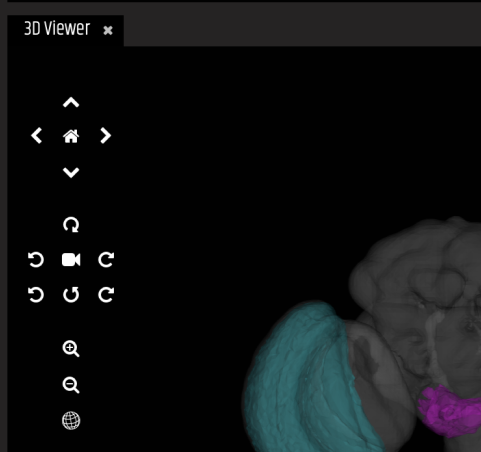
The 3D Viewer displays 3D models of the template, showing all selected painted anatomy, neurons and expression patterns.
VFB features tens of thousands of 3D images of neurons, clones and expression patterns, registered to standard template brains. Any combination of these can be added to the 3D viewer together.
Point and click to select neurons/expression
Click and drag with the mouse or use the directional icons to rotate/move
Use the zoom icons or scroll with the mouse to zoom in/out
Home resets your view
The camera icon starts/stops a rotation animation of the scene
The sphere icon toggles wireframes on/off
Feedback
Was this page helpful?
Glad to hear it! Please tell us how we can improve.
Sorry to hear that. Please tell us how we can improve.
Last modified February 10, 2026: update website features docs (f4b24d8)